
A large online casino can be difficult to use when games, live tables, sports markets, promotions and account tools share one screen. The Canadian-facing spinsy online casino presents these services through a browser-based account, so the main question is not simply how much content it offers, but how easily an adult user can find the right area, understand what is selected and return to important account information.
Start with the lobby rather than the promotional panel
The clearest route into the casino is the games lobby. It is organised into broad areas such as Top, New, Popular, Exclusive, Live Games, Instant Games, Slots, Table Games and jackpots. This gives users several starting points, but the labels serve different purposes. “New” and “Popular” describe discovery, while “Slots” and “Table Games” describe format. Choosing the category that matches your intention first should reduce unnecessary scrolling.
Search is more useful when you already know a title or a provider. A search for a familiar game can be quicker than browsing thousands of listings, while provider filters may help users who prefer a particular studio. Category and provider filters should be treated as separate ways to narrow the catalogue rather than as recommendations. A game appearing near the top is not evidence that it is more suitable, more profitable or lower risk.
Many titles also support demo play. That can be useful for checking whether a game’s controls, pace and layout feel comfortable before considering real-money play. It does not establish the likely result of future spins or prove anything about long-term returns. A short session is best used as a navigation and interface check: identify the rules button, paytable, bet controls and exit route before deciding whether the title belongs on your shortlist.
Use filters to reduce choice without losing context
Filters work best when used in a sequence. Begin with the broad format—such as slots, table games, instant games or live casino—then narrow by a provider or a more specific section if necessary. Applying every available filter at once can produce an empty or very small result, making it appear that a preferred title is unavailable when the search settings are simply too restrictive.
The live casino area has its own internal variety. Roulette, blackjack, baccarat, dice, poker, game shows and international tables are presented alongside one another, while a section such as Gold Saloon may contain a particular style of live content. A user looking for a conventional table should therefore check the category label rather than assuming every live listing follows the same format, pace or betting structure.
Game-show titles can be especially easy to mistake for ordinary casino games because they use television-style presentation. Before opening one, read the basic information and identify whether the activity is a wheel, card, dice or number-based format. If the lobby offers sorting options, use them to compare similar formats rather than jumping between unrelated sections. This creates a more manageable shortlist and makes the browsing process less impulsive.

Keep casino, sports and account tools separate
The same account also brings together casino games, live casino, jackpots, sports betting, live betting and virtual sports. That convenience can become confusing if a user moves between sections without checking the active area. Sports markets may include football, hockey, tennis, basketball, baseball, American football, esports and other events, while virtual sports follow a different format from real competitions.
Navigation should begin with a simple question: am I browsing entertainment content, checking a promotion, reviewing a transaction or looking at a sports market? Each task has a different level of financial importance. Browsing a game catalogue does not require the same attention as reviewing an offer’s conditions or checking whether a transaction has completed. Keeping those purposes distinct helps prevent a casual visit to the lobby from turning into an unplanned account action.
Promotions, tournaments, challenges, the rewards shop and VIP information may appear within the same account environment. These tools can add extra layers to navigation because an offer may need activation, a task may award Coins, or a reward may be exchanged through the Shop. Treat each item as a separate set of terms. Before selecting anything, check whether it applies to casino play, live casino, sports or virtual sports, and whether it has a stated expiry or completion requirement.
Check the account area before making a financial decision
The account area is where navigation becomes more consequential. It can contain the cashier, transaction information, active bonuses, challenges, shop rewards and VIP status. Before depositing or requesting a withdrawal, review the relevant section rather than relying on a banner or abbreviated message in the lobby. The Canada-facing material lists Visa, Mastercard and Interac prominently, but available methods and limits can vary by account, region and cashier.
Bonus pages deserve particular care because headline figures rarely explain the full condition. The current Canadian material displays several promotional offers, while detailed requirements can change. A user should open My Bonuses and read the applicable wagering, activation, expiry, eligible-game and withdrawal conditions before accepting an offer. Older descriptions should not be treated as the current terms for a newer package.

Verification can also affect how the account functions. The operator may request identity, address, payment-ownership or source-of-funds information, and a withdrawal can remain pending until required documents are accepted. Keep copies of submitted information and record any support reference. If the registered email or phone number is no longer available, use the account-support process rather than repeatedly attempting access, since sensitive account changes may require identity checks.
Make the mobile layout work for your routine
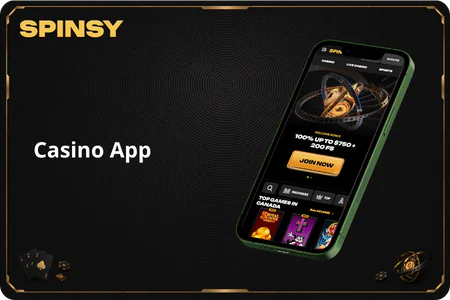
The service is designed to operate through a responsive mobile website on Android and iOS. A native App Store or Google Play installation is not required, and the mobile browser provides access to the casino, live casino, sports, cashier, promotions, challenges, Shop and account controls. This can be convenient, but a smaller screen makes it more important to confirm page headings and balances before selecting an action.
The Create Shortcut feature can place an icon on a device’s home screen. On Android, the relevant browser option is Add to Home screen; on iOS, the shortcut can be added through the Share menu. This shortcut opens the mobile web account rather than a separate native application. Users should understand that distinction when checking browser permissions, saved passwords, notifications or device access.
For regular browsing, a consistent mobile routine is safer than following whichever banner appears first. Open the account menu, confirm the section, review the relevant details and close the session when finished. Support is available through live chat and email for access, technical, KYC, payment and account questions. If navigation becomes difficult or gambling no longer feels controlled, contact support about self-exclusion instead of assuming that every type of spending or session limit is available as a self-service setting.
Questions about using the site
Can I search for a specific game?
Yes. The casino lobby includes search alongside category and provider filters. Search is most efficient when you know the title or studio name. If nothing appears, remove one filter at a time and check spelling, since several simultaneous filters can narrow results more than expected.
Is the mobile shortcut a downloadable app?
No. The shortcut opens the responsive mobile website through the device browser. It provides a convenient home-screen entry to the same web account and balance, but it should not be confused with a separately installed native application from an official app store.
Where should I check promotion conditions?
Review the applicable offer in My Bonuses before activation or wagering. Check the current eligibility, expiry, wagering, game contribution and withdrawal conditions rather than relying on a promotional headline or an older description. If a condition is unclear, ask support before accepting the offer.
